Technical SEO is the infrastructure of organic search. Every content strategy, link campaign, and keyword cluster depends on Google being able to crawl, render, and correctly index the pages you want to rank. A technically compromised site does not rank regardless of content quality, domain authority, or link profile. In over 60% of site audits we conduct, at least three of these issues are present - and at least one is directly preventing a commercial page from ranking. Fix these first. Then build content on top of a sound foundation.
60%+
Sites with 3 or more critical technical errors on audit
3-6wk
Typical time to see ranking impact after fixes
18%
Avg indexation improvement post-audit
Technical Score
Critical
5
Fix immediately
Warnings
8
Fix this sprint
Info
3
Monitor only
Passed
84
No action
Scan Complete
847 / 847 URLs processed
Check 1: Robots.txt - Is Google Actually Allowed to Crawl Your Site?
Crawlability is the prerequisite for every other ranking factor. A blocked page cannot rank. The robots.txt check covers: accidental Disallow rules on commercial directories, noindex tags sitewide from development environments never cleared, x-robots-tag headers returning noindex on live pages, and canonical tags pointing away from the correct canonical URL. One in three audits reveals a misconfiguration here on a page that should be ranking.
The Staging Disallow Error That Persists in Production
The most common robots.txt error: a Disallow rule applied during development that was never reversed when the site went live. We have found Disallow: /services/, Disallow: /products/, and Disallow: / (blocking the entire site) in production environments where the client had a live SEO campaign running. Most monitoring tools do not automatically flag robots.txt contents. These configurations persist undetected for months.
Noindex Surviving From Development Environments
Development environments standardly use a sitewide noindex configuration to prevent staging content from appearing in Google. When a site migrates to production without removing this configuration, every page on the live domain carries a noindex instruction that prevents indexation. The site functions normally in a browser. It simply does not appear in search. We have seen this condition persist for more than 12 months before an audit identified it.
Check 2: Indexation - Are Your Commercial Pages in Google's Index?
A page can be crawlable but still not indexed. Indexation depends on both technical eligibility and Google's quality evaluation. The most reliable indexation audit: Search Console's Coverage report cross-referenced against your most important commercial URLs. Any URL showing as Excluded - particularly 'Crawled but not indexed', 'Discovered but not indexed', or 'Noindex' - represents either a specific technical problem or a content quality signal requiring resolution before any other optimization makes sense.
Crawled But Not Indexed: Google's Quality Assessment Signal
When GSC shows 'Crawled but not indexed', Google has assessed the content and decided not to include it. Common causes: content that is near-duplicate of already-indexed pages, thin pages with fewer than 300 words of substantive body copy, placeholder category pages with no unique content, and pages with minimal information gain over competing indexed pages. These require content improvement - not technical fixes.
Using URL Inspection Tool vs Coverage Report
The URL Inspection tool shows the current index status of a specific URL including the last crawl date, detected canonical, and mobile usability status. The Coverage report shows aggregate patterns across the entire site. Use Coverage first to identify pattern-level indexation problems (all /category/ pages excluded), then URL Inspection to diagnose individual high-priority URLs. Do not rely on URL Inspection alone for site-level indexation auditing.
Check 3: Redirect Chains - The Silent PageRank Drain
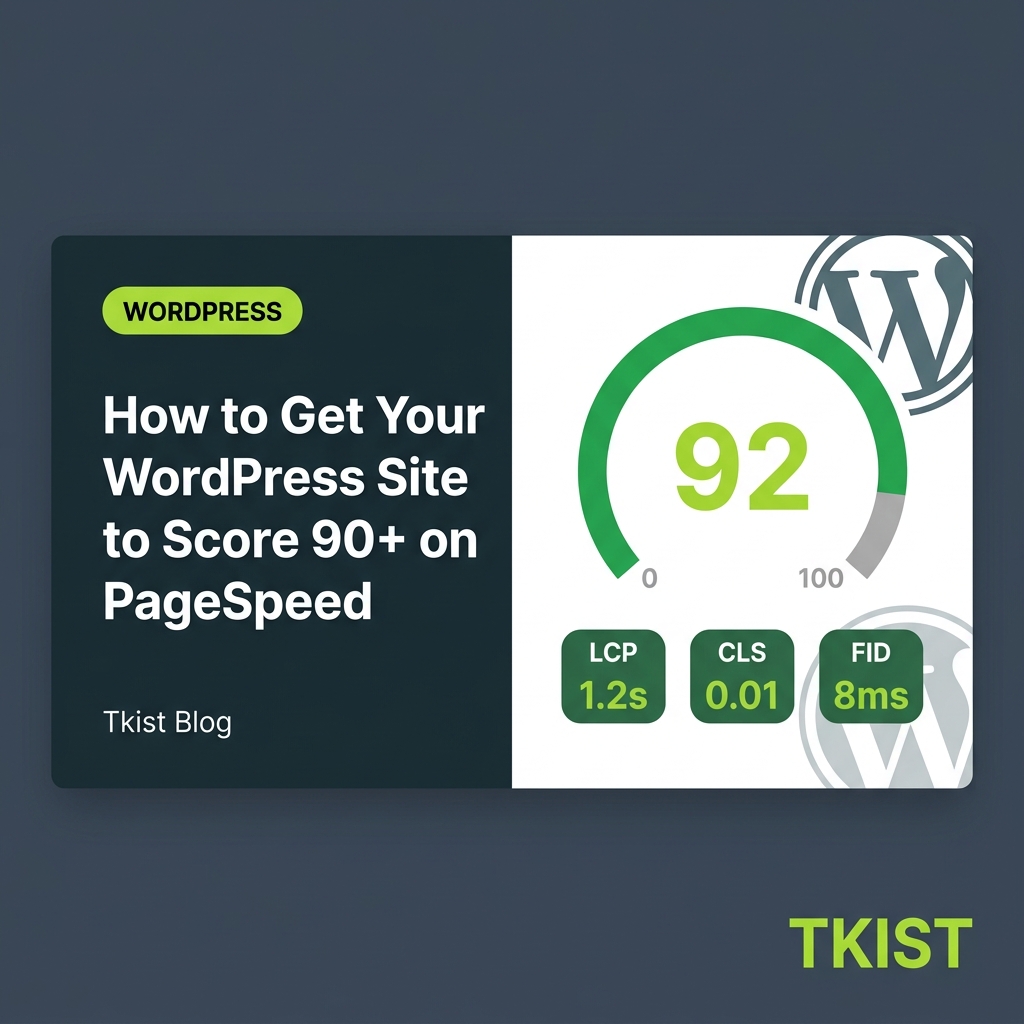
How fast your main content loads - usually your hero image or headline.
1.2s
Your score
Visual stability - does anything jump around as the page loads?
0.02
Your score
Responsiveness to clicks and key presses across all user interactions.
88ms
Your score
Each redirect hop in a chain reduces the PageRank passed from source to destination by roughly 10-15%. A 301 redirect chain: original URL to intermediate URL to final URL - passes approximately 72-80% of the original link equity. Multiply this across every URL that has ever had inbound backlinks and later been moved or migrated, and the aggregate PageRank loss on an established site is significant. Collapsing all chains to single 301 hops from original to final destination is always net positive.
Finding and Collapsing Chains Across the Full Redirect Map
Screaming Frog crawled in 'Follow redirects' mode exports all redirect chains. The fix: update each source URL's redirect to point directly to the final destination, skipping all intermediate steps. For sites with many redirect rules managed in .htaccess, Nginx configuration, or a redirect management plugin, this is a bulk export, chain-collapse, and reimport process. On most sites, it takes a half-day and produces ranking improvements within two to four weeks as Googlebot re-crawls and processes the updated equity flow.
Check 4: Canonical Tags - Are You Splitting Your Own Ranking Signals?
A canonical tag signals to Google which URL version is definitive. Misconfigured canonicals split ranking signals across multiple versions of the same content. The most damaging patterns: paginated content where all pages canonical to page-1 (de-indexing pages 2-N), HTTP and HTTPS coexisting in the index due to canonical inconsistency, and URL parameter variants (UTM parameters, sort parameters, session IDs) creating thousands of near-duplicate indexed URLs without clean-URL canonicals.
Check 5: Core Web Vitals - The Experience Signals With Direct Ranking Weight
Core Web Vitals - LCP, INP, and CLS - are Google's page experience ranking signals. The competitive impact is most visible in close-ranking situations: two pages with similar content quality and link authority will diverge in rankings where one has 'Good' CWV and the other has 'Needs Improvement' ratings. The thresholds: LCP under 2.5 seconds, INP under 200 milliseconds, CLS under 0.1. Field data from real users (CrUX report in Search Console) is authoritative - lab data from PageSpeed Insights reflects only one device/connection combination.
LCP: Why Hero Images Are the Most Common Failure Source
The LCP element is typically the largest above-the-fold image or text block. Hero images served without next-gen formats (WebP, AVIF), without width and height attributes, and without fetchpriority='high' are the most common LCP failure source. An unoptimized JPEG hero image can add 400-800ms to LCP compared to an equivalently compressed WebP with preload. This is purely a configuration and format decision that requires no design changes.
CLS: The Real-User Problem That Is Invisible in Development
Cumulative Layout Shift is caused by elements loading and displacing existing content. Local development environments cache resources instantly, making CLS invisible in testing. Real users on 4G connections see: late-loading ad units pushing content down, web fonts changing letter spacing on render, images without declared dimensions causing reflow when they arrive. CrUX data in Search Console reflects real-user experience and is more reliable than any synthetic testing tool for CLS diagnosis.
Check 6: Internal Link Distribution - Where Authority Actually Concentrates
Most sites have a deeply unequal internal link distribution: the homepage and a few established blog posts have hundreds of internal links, and the commercial service pages that need to rank have two or three. This distribution does not reflect business priorities. Auditing the internal link graph - using Screaming Frog's inbound link counts per URL - reveals which pages accumulate authority and whether they are passing it to commercially important URLs. Fixing this requires no new content and no external links.
Orphaned Pages: High Backlink Equity, Zero Internal Path
An orphaned page has inbound external links but no internal links from the rest of the site. Google can discover it through backlinks but receives no internal PageRank signal to reinforce its authority. Service pages, case studies, and resource documents frequently become orphaned after navigation restructures remove their menu entries. Adding two to four internal links from high-authority pages to an orphaned URL with existing backlinks typically produces ranking movement within four to six weeks without any other changes.
Check 7: Structured Data - Implementation Errors Preventing Rich Results
Structured data errors are common on sites using schema plugins or theme-generated markup that has not been validated. The most frequent failures: required properties missing from the schema type (an Article without a datePublished is technically invalid), markup applied to invisible content (violates Google's content policy and prevents rich results even when technically valid JSON), and duplicate JSON-LD blocks from conflicting sources generating contradictory signals.
Check 8: XML Sitemap - Configuration Errors That Misdirect Crawl Budget
An XML sitemap signals which URLs should be crawled and indexed. Common sitemap errors that waste crawl budget and confuse indexation: including noindex URLs in the sitemap (a direct contradiction - noindex tells Google not to index; sitemap inclusion tells Google to crawl), including redirected URLs instead of their final destinations, including 4XX error URLs, and omitting recently published pages because the sitemap generation is cached and not refreshed after publication.
Check 9: Mobile Usability - Where Ranking Evaluation and User Experience Converge
Google uses mobile-first indexing for the overwhelming majority of sites - evaluating the mobile version of your page to determine rankings across all device types. Mobile usability failures with confirmed ranking implications: touch targets smaller than 48px, content wider than the viewport (horizontal scrolling), base font size below 16px causing readability issues, and intrusive interstitials blocking content from users before they can scroll. Each of these is flagged in GSC's Page Experience report.
Check 10: Duplicate Content - How Facets and Parameters Inflate Low-Value Page Count
Duplicate content does not produce a penalty, but it dilutes ranking signals by spreading them across multiple near-identical URLs. For e-commerce and content sites with faceted navigation, filter and sort URL parameters generate thousands of URL variants with near-duplicate content - each one indexed, each one splitting signals with the canonical version. Managing this requires canonical tags on all parameter variants pointing to the clean URL, or URL parameter handling configured in Google Search Console.
Check 11: Content Pruning - Removing Pages That Dilute Domain Authority
Low-quality, thin, or outdated pages do more than fail to rank. They actively dilute the authority signals of your best pages by fragmenting crawl budget and reducing the overall quality signal Google attributes to your domain. A strategic content audit - identifying pages with fewer than 300 substantive words, zero organic sessions in the past 12 months, and no inbound links - followed by either consolidation, improvement, or removal consistently improves the ranking performance of the pages that remain. Most agencies skip this step. It is one of the highest-ROI audits available on sites more than three years old.
Check 11: Crawl Budget - Ensuring Googlebot Prioritizes Your Most Important Pages
Crawl budget limits how many pages Google crawls from a site per day. Sites wasting budget on low-value pages - session parameter duplicates, deep pagination nobody accesses, archived content, and 4XX pages still appearing in internal links - have less budget available for crawling commercial pages. For sites under 500 indexed pages, crawl budget is rarely a meaningful constraint. For sites above 5,000 pages, it is a priority management problem requiring log file analysis to diagnose accurately.
Check 12: Hreflang - International Signals That Require Bidirectional Implementation
For sites serving multiple countries or languages, hreflang errors cause the wrong locale version to serve to international audiences. The most common implementation errors: non-bidirectional tagging (English references French but French does not reference English), missing x-default declarations, incorrect locale-language code combinations (using 'en' when 'en-gb' is required), and hreflang returned in HTTP headers conflicting with on-page implementation. The International Targeting report in GSC surfaces these errors with specific URL attribution.
Check 13: AI Readiness - Is Your Site Citation-Eligible in AI Search?
Google AI Overviews, Perplexity, and ChatGPT now appear on SERPs and directly answer user queries by citing specific web pages. Being cited requires structural eligibility: your pages must load fast enough for AI crawlers, your content must be structured so AI models can extract precise answers, and your schema must identify who wrote the content and what entity it belongs to. Sites that pass checks 1-12 but fail AI readiness are invisible to a growing share of upper-funnel research traffic that never reaches a traditional blue-link click.
Bot Governance: Managing AI Crawler Access Correctly
AI crawlers from Perplexity (PerplexityBot), OpenAI (GPTBot), and Anthropic (ClaudeBot) now crawl the web independently of Googlebot. Each respects robots.txt directives. If your robots.txt blocks these crawlers - either explicitly or through a broad wildcard Disallow - your content cannot be cited in AI-generated responses. Check your robots.txt for Disallow rules affecting GPTBot and PerplexityBot. If you want to be cited, you need to permit crawling. This is a strategic decision, not a technical default.
BLUF Formatting for AI Extraction Eligibility
AI systems extract content using a Bottom Line Up Front pattern. They look for direct answers at the start of sections, then use the surrounding context for verification. A heading followed immediately by a direct answer sentence, then the supporting detail, is far more citation-eligible than a heading followed by three sentences of framing before the actual claim. This is not a writing style preference. It is a structural requirement for AI Overview inclusion. Audit your five most important pages and verify each h2 section opens with a direct answer rather than context-setting prose.
Takeaway
Start every technical audit with Search Console > Coverage > Excluded. Every commercial URL listed as Excluded is a confirmed problem. Sort by reason code and address 'Noindex' and 'Crawled but not indexed' first - these are the highest-commercial-impact issues on most sites and require different remediation approaches. Then check your robots.txt permissions for AI crawlers before any other optimization.

A technically broken site limits every content and link investment built on top of it. The audit runs first, always.
Unsplash
Crawls up to 500 URLs free (unlimited licensed). Exports redirect chains, canonical conflicts, broken links, noindex pages, and missing meta data in a single pass.
Coverage report shows every excluded URL by reason code. URL Inspection shows individual page index status, last crawl date, and mobile rendering.
Lab data combined with CrUX field data. The field data tab shows real-user LCP, INP, and CLS scores and determines actual ranking impact.
schema.org validator plus Google's Rich Results Test confirms schema validity, required property presence, and rich result eligibility before publishing.
Visualises the internal link graph and identifies orphaned pages, crawl depth issues, and authority distribution across the site architecture at scale.
Scheduled crawls with change detection. Alerts you when a new technical issue appears - new redirect chains, canonicals changed, noindex added - without manual re-crawling.
Fix the Infrastructure Before Building on Top of It
Key Insight
The fastest SEO wins are almost always technical, not content. A noindex tag removed, a redirect chain collapsed, or canonical tags corrected can move commercial keywords from page 3 to page 1 in four to six weeks without writing a single new word.
Technical issues do not produce gradual decline. They produce hard ceilings. Fix the ceiling first. Then build content that has the structural foundation to reach the rankings it deserves.
Content strategy, link building, and conversion optimization are all multiplied by the quality of the technical foundation below them. A technically sound site makes every subsequent investment more efficient. A technically compromised site taxes every investment with reduced indexation, diluted equity, and inconsistent crawl coverage. Running through these checks before briefing new content ensures that every page you publish has the best possible chance of reaching the rankings it deserves.